.svg)

Table of Contents
- Introduction to QR Codes for Business Cards
- Benefits of Using QR Codes on Business Cards
- Common Mistakes to Avoid
- Red Flags When Implementing QR Codes
- Design Considerations for Effective QR Codes
- Technical Issues and How to Prevent Them
- Common Fees and Hidden Costs
- Best Alternatives to QR Codes for Business Cards
- Key Takeaways
- Conclusion
- FAQs
Introduction to QR Codes for Business Cards
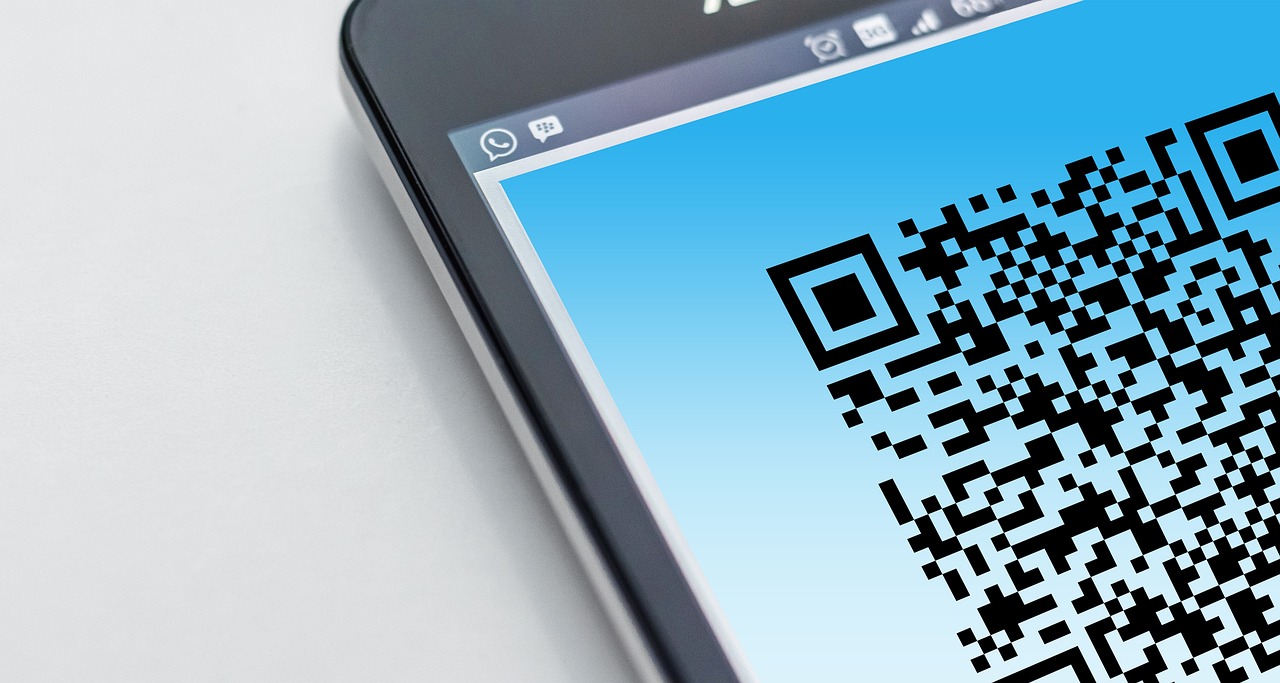
If you’re looking to modernize your networking approach, you’ve likely considered using qr codes for business cards. These digital codes allow you to share your contact information instantly through a simple scan, bridging the gap between physical and digital communication. As we move further into 2026, understanding how to use QR codes effectively—and what pitfalls to avoid—has become essential for professionals who want to make a strong impression.
Benefits of Using QR Codes on Business Cards
Integrating QR codes into your business cards offers several advantages. First, they enable quick access to your digital profile, portfolio, or website without manual entry. This convenience can boost engagement and ensure that your contacts save your information accurately.
Second, QR codes help reduce clutter on your card by consolidating multiple contact methods into one scannable link. And third, they demonstrate innovation and tech-savviness, traits that are increasingly valued in many industries.
Common Mistakes to Avoid
While QR codes are powerful tools, many people make critical errors when implementing them on business cards. Here are some common mistakes you should avoid:
- Using static QR codes: Static codes cannot be edited once printed, which means outdated contact info can’t be corrected.
- Poor placement: Positioning the QR code too close to edges or other elements can make scanning difficult.
- Ignoring mobile compatibility: If the landing page isn’t mobile-friendly, users may have a poor experience after scanning.
- Overcomplicating the design: Excessive colors or distorted QR codes can reduce scan reliability.
- Failing to test: Not verifying the QR code on multiple devices before printing is a costly oversight.
Red Flags When Implementing QR Codes
Watch out for these red flags that could undermine your QR code strategy:
- Using free QR code generators that track or sell your data without disclosure.
- Linking to unsecure (HTTP) websites, potentially deterring privacy-conscious contacts.
- Failing to update destination URLs when business information changes.
- Embedding QR codes that lead to long load times or broken links.
- Neglecting to provide alternative contact info for users unwilling or unable to scan.
Design Considerations for Effective QR Codes
To maximize the impact of your QR codes for business cards, consider the following design tips:
- Maintain sufficient white space around the QR code to facilitate easy scanning.
- Use high contrast colors—dark codes on a light background are best.
- Keep the size at least 2 x 2 cm to ensure readability.
- Incorporate your logo or brand colors subtly without compromising scan quality.
- Ensure that the QR code links to a mobile-optimized landing page.
Technical Issues and How to Prevent Them
Technical failures can quickly ruin the user experience. Here are some common issues and how to avoid them:
- Non-functional codes: Always test your QR code on various devices before printing.
- Slow loading pages: Optimize linked content for mobile speed.
- Expired links: Use dynamic QR codes that allow you to update links as needed.
- Compatibility issues: Avoid special characters or complex URLs that some scanners might not read.
Common Fees and Hidden Costs
While many QR code generators offer free services, there are potential fees and hidden costs to consider:
- Subscription fees for dynamic QR codes or advanced analytics.
- Costs for custom designs or branded QR codes.
- Expenses related to printing higher-quality cards to accommodate QR code scanning.
- Potential charges for URL shortening or redirection services.
Be sure to review terms carefully before committing. For financial guidance related to small business costs, resources like Consumer Finance and NerdWallet offer valuable insights.
Best Alternatives to QR Codes for Business Cards
If QR codes aren’t optimal for your needs, consider these alternatives:
- Near Field Communication (NFC) tags: Tap-enabled cards that transfer information wirelessly.
- Short URLs: Easy-to-remember links printed directly on cards.
- Augmented Reality (AR) business cards: Interactive experiences triggered by card scanning apps.
- Traditional contact information: Clean, simple text with phone, email, and social media handles.
Key Takeaways
- Using qr codes for business cards enhances networking by simplifying information sharing.
- Avoid common mistakes like poor placement, static codes, and untested designs.
- Watch for red flags such as insecure links and hidden fees from QR code providers.
- Design your QR codes with usability and brand consistency in mind.
- Consider alternatives like NFC or short URLs if QR codes don’t fit your strategy.
Conclusion
In 2026, qr codes for business cards remain a highly effective tool for professionals looking to modernize their networking efforts. However, success depends on avoiding mistakes and recognizing red flags that could compromise your card’s effectiveness. By following best practices in design, testing, and cost management, you can ensure your business cards make a lasting digital impression. For more information on enhancing your business communication tools, visit our About page or reach out via our Contact page.
FAQs
How do I qualify for qr codes for business cards?
There are no formal qualifications required to use QR codes for business cards. You simply need a QR code generator (many are available online) and a destination URL or digital contact profile to link. However, ensuring your linked content is professional and mobile-friendly is crucial for a positive user experience.
What are the common fees and hidden costs?
While basic QR code generation is often free, hidden costs can include fees for dynamic codes, analytics, branded designs, or premium services. Printing higher-quality cards to support QR code scanning may also increase expenses. Always review the terms of service carefully before selecting a provider.
Is qr codes for business cards a good idea in 2026?
Yes, QR codes remain a popular and efficient method for sharing contact information quickly. They align well with the increasing use of smartphones and digital networking. Just be sure to implement them thoughtfully and avoid common pitfalls.
What documents do I need?
No specific documents are needed to create QR codes for business cards. You simply need access to your contact information or digital portfolio URL that you want to link with the QR code.
What is qr codes for business cards and how does it work?
QR codes for business cards are scannable matrix barcodes printed on cards that link to digital content such as websites, contact details, or portfolios. When someone scans the code with their smartphone camera or QR scanning app, they are directed to the linked information instantly.
How long does approval usually take?
There is typically no approval process for creating QR codes for business cards unless you are using a third-party service that reviews content. Generating a QR code is usually immediate, but testing and design approval should be factored into your timeline.
What are the best alternatives to qr codes for business cards?
Alternatives include NFC-enabled cards, short URLs printed on the card, augmented reality experiences, or simply traditional printed contact information. Each has its own advantages depending on your networking style and audience.
What mistakes should I avoid?
Avoid using static QR codes that cannot be updated, placing codes in hard-to-scan locations, linking to non-mobile-friendly pages, ignoring testing on multiple devices, and neglecting to provide backup contact details for those who cannot scan.
For additional authoritative information on financial and business best practices, consider visiting Investopedia and Federal Reserve.
Related topics you might find helpful: Innovative Marketing Tools and Digital Networking Strategies.